
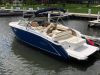
Just received my used 2019 Cobalt R3. Boat is in great shape and I've been out on the water a few times already!
The first use, all of the gauges and sensors seemed to be working properly and monitoring fuel and trim levels accurately. However, yesterday when i turned the boat on, the fuel and trim gauges were not registering.
I'm curious if anyone has advice for 'resetting'" the gauges and sensors so that they show the fuel level. Right now, the trim gauge doesn't show where the out-drive is and the fuel level shows empty. (I filled the tank).
Thanks!
2019 Cobalt R3 - Garmin Cockpit - Gauge issues
-
AsLan7

- Fleet Admiral

- Posts: 11526
- Joined: Sat Jul 29, 2017 10:58 am
- Location: Erie PA
- Has thanked: 1 time
- Been thanked: 6 times
- Contact:
Re: 2019 Cobalt R3 - Garmin Cockpit - Gauge issues
.
Hey C2H. Welcome to the Cobaltchat forum. So glad you found us!
Did you notice any breakers popped? Are these separate gauges or on an LCD screen?
Post a pic or two if you can.
Again welcome aboard mate!
.
Hey C2H. Welcome to the Cobaltchat forum. So glad you found us!
Did you notice any breakers popped? Are these separate gauges or on an LCD screen?
Post a pic or two if you can.
Again welcome aboard mate!
.
You do not have the required permissions to view the files attached to this post.
2002 Cobalt 262
&
2005 Cobalt 263
496 MagHO
(sold )
Erie, PA
Currently boatless (for now)
will fly for food
(CChat moderator)
&
2005 Cobalt 263
496 MagHO
(sold )
Erie, PA
Currently boatless (for now)
will fly for food
(CChat moderator)
Re: 2019 Cobalt R3 - Garmin Cockpit - Gauge issues
Thank you!
They are on a Garmin LCD screen. this is what it looks like.
They are on a Garmin LCD screen. this is what it looks like.
You do not have the required permissions to view the files attached to this post.

Re: 2019 Cobalt R3 - Garmin Cockpit - Gauge issues
Sorry to hear you are having problems. You can try resetting the chart plotter but I'm not sure that will fix your problem:
https://www8.garmin.com/manuals/webhelp ... AD519.html
You might also check the Glass Cockpit software version. There may be an update available, depending on when it was last updated (there was an update available last July). This might not fix your problem either but if there is a system bug causing this, a newer firmware version might help.
What is curious is that most of the gauges and displays (I assume) are working and it seems odd that only two would stop functioning, leaving the rest. I'd say it is unlikely both sensors failed at the same time, but rather this is a network communication problem? Are you able to adjust the trim, but you just don't see the % value on the screen?
https://www8.garmin.com/manuals/webhelp ... AD519.html
You might also check the Glass Cockpit software version. There may be an update available, depending on when it was last updated (there was an update available last July). This might not fix your problem either but if there is a system bug causing this, a newer firmware version might help.
What is curious is that most of the gauges and displays (I assume) are working and it seems odd that only two would stop functioning, leaving the rest. I'd say it is unlikely both sensors failed at the same time, but rather this is a network communication problem? Are you able to adjust the trim, but you just don't see the % value on the screen?
2019 Cobalt R3 - V8/350 - Ebony Hull w/ Knock Out Red Edge Stripe
Re: 2019 Cobalt R3 - Garmin Cockpit - Gauge issues
yes the penta screen below the throttle shows the trim angle and i am able to move it up and down. it just doesnt register on the main display. I'm thinking that it might work itself out but maybe a system reset would do the trick as well. Not all that worried about it as i'm fairly savy when it comes to technology. just thought i would see if anyone had a quick fix or had experienced the issue before.
It is odd because the first trip on the boat everything seemed to be working fine, gas gauge was working and trim. it isnt only these two, a few others arent registering any information either. speed and rpm are working fine, and i adjusted the gas level manually which now is reading.
Thank you so much for any assistance or guidance!
It is odd because the first trip on the boat everything seemed to be working fine, gas gauge was working and trim. it isnt only these two, a few others arent registering any information either. speed and rpm are working fine, and i adjusted the gas level manually which now is reading.
Thank you so much for any assistance or guidance!
-
Big Block Power

- Fleet Admiral
- Posts: 17930
- Joined: Sat May 07, 2016 8:05 pm
- Location: Neenah,Wi
- Contact:
Re: 2019 Cobalt R3 - Garmin Cockpit - Gauge issues
I would make sure you have the latest software in it.
03Cobalt220 8.1gxi DP
"Kids in Tow2"
"Pot The Jus" Originator :-)
Neenah Wi
#ItsBu'sfault
#FARCON Marine CC Core!
"Kids in Tow2"
"Pot The Jus" Originator :-)
Neenah Wi
#ItsBu'sfault
#FARCON Marine CC Core!

Re: 2019 Cobalt R3 - Garmin Cockpit - Gauge issues
I always turn the key let and let the gauges load ( accept the warning) before starting the engine. I have noticed if I start the engine without waiting for the screens the gauges do not register. Also the updated software loads much faster FYI.
2018 R5 350hp Merc
Lake Cumberland KY
Lake Cumberland KY
Re: 2019 Cobalt R3 - Garmin Cockpit - Gauge issues
I’ve not found that to be a problem. I turn the key to the on position, wait for the beep and then engage the starter. The glass cockpit comes up several seconds later, I tap on the “agree” button and both screens display normally.Kyboater wrote: Fri Aug 14, 2020 10:23 pm I always turn the key let and let the gauges load ( accept the warning) before starting the engine. I have noticed if I start the engine without waiting for the screens the gauges do not register. Also the updated software loads much faster FYI.
2019 Cobalt R3 - V8/350 - Ebony Hull w/ Knock Out Red Edge Stripe
-
puttsputts

- Lieutenant

- Posts: 31
- Joined: Wed May 30, 2018 7:30 am
- Location: ky
- Contact:
Re: 2019 Cobalt R3 - Garmin Cockpit - Gauge issues
my gauge has never made me feel comfortable with the readings. Have the boat in for service now and they are replacing the fuel sending unit.
They also had another boat currently in the shop for the sending unit replacement.
They also had another boat currently in the shop for the sending unit replacement.
Norris Lake
Sugar Hollow
2018 R3 Volvo 300
Sugar Hollow
2018 R3 Volvo 300

Re: 2019 Cobalt R3 - Garmin Cockpit - Gauge issues
Never had this issue with mine either. Like bob said I start the motor right after the beep and off I go. Gauges are always on by the time I idle out. On occasion it will take a second for the gps speed to show as it’s still acquiring a signal
2019 Cobalt R7 VP 6.2 380hp
“Smooth Operator”
Lake St. Louis, MO
Table Rock Lake
“Smooth Operator”
Lake St. Louis, MO
Table Rock Lake
Re: 2019 Cobalt R3 - Garmin Cockpit - Gauge issues
Really appreciate the feedback. I'm going to try letting the computer load prior to starting the ignition to see if that works.
if that doesnt work, is the consensus that it might need a software update? if so, what is the best way to check for/install the update?
Thank you!
if that doesnt work, is the consensus that it might need a software update? if so, what is the best way to check for/install the update?
Thank you!
Re: 2019 Cobalt R3 - Garmin Cockpit - Gauge issues
I can’t recall the procedure but the owner’s manual details it. You can load it from your computer onto a micro SD card and update from there or use the Active Captain app one your phone to download the update, connect your phone to the Garmin units (after creating a local wifi network on the Garmin) and the do the transfer from your phone to the Garmin. In that case you’ll need to first install a micro SD card into one of the open slots on the Garmin.Check the manual As certain spec micro SD is required, ie not the highest speed ones.
2019 Cobalt R3 - V8/350 - Ebony Hull w/ Knock Out Red Edge Stripe
-
Red Herring55
- Lieutenant
- Posts: 35
- Joined: Tue Oct 15, 2019 9:46 am
- Location: Chicago suburbs
- Contact:
Re: 2019 Cobalt R3 - Garmin Cockpit - Gauge issues
Same thing happened to the gauges on my '20 R5 last week--all gauges in the main display showed blank. I restored them by just diddling with the touchscreen for a while when I was at anchor, but unfortunately since I'm not now on the boat I can't recreate exactly what I did except that it had to do with the "engine" selection and the "vessel" dropdown.
I doubt there's anything actually wrong with the gauges or the boat--the information you want is still there, but as we tell kids whose pets have died "they've just gone someplace else". Unfortunately the Garmin manual is of little help--it's 76 pages long, and only one page has to do with the gauges. If you don't have a dealer or friend who has the system and can show you how to get your readouts back, just play with it for a while until you get the logic(?) of it and I bet it will reappear.
These gauges are about 500% too complicated for how most of these boats are used, in my opinion, but the ability to customize is nice--I have the standard gauge page on the right and a digital readout of speed, time of day, depth, and fuel percentage on the left.
Not a great deal of help I know, but should be good to know there's not likely anything expensive broken.
I doubt there's anything actually wrong with the gauges or the boat--the information you want is still there, but as we tell kids whose pets have died "they've just gone someplace else". Unfortunately the Garmin manual is of little help--it's 76 pages long, and only one page has to do with the gauges. If you don't have a dealer or friend who has the system and can show you how to get your readouts back, just play with it for a while until you get the logic(?) of it and I bet it will reappear.
These gauges are about 500% too complicated for how most of these boats are used, in my opinion, but the ability to customize is nice--I have the standard gauge page on the right and a digital readout of speed, time of day, depth, and fuel percentage on the left.
Not a great deal of help I know, but should be good to know there's not likely anything expensive broken.
Re: 2019 Cobalt R3 - Garmin Cockpit - Gauge issues
I’m having the same exact issue. My fuel gauge and trim % do not always display on my R4 glass cockpit, but are correct on the small Volvo penta display. Did you find a fix for this issue?


Re: 2019 Cobalt R3 - Garmin Cockpit - Gauge issues
Can you share a pic of what you are seeing? Are other EVC parameters like RPM, Water Temp. Oil pressure showing up? If so, it may be as simply reinitializing those two gauges.glesieur wrote: Mon Jun 17, 2024 12:40 pm I’m having the same exact issue. My fuel gauge and trim % do not always display on my R4 glass cockpit, but are correct on the small Volvo penta display. Did you find a fix for this issue?
2021 R5 Shale/Ebony
VP 5.3L 350
"$TSLA"
VP 5.3L 350
"$TSLA"
Who is online
Users browsing this forum: No registered users and 64 guests